Mohsen Rahnavard

Product Designer (UI/UX) with technical background

Portfolio

About Me

Product Designer (UI/UX) with a strong technical background in web and app development. Skilled in designing user-centered experiences and delivering scalable digital products from concept to production.

Experienced in translating business goals and user needs into clear product requirements, intuitive interfaces and measurable outcomes. Combines product thinking, UX design and development knowledge to collaborate effectively with cross-functional teams and build impactful digital solutions.

About Me

Product

  • Product strategy & feature definition.
  • Agile / Scrum collaboration.
  • Using metrics to inform design decisions.
  • Market research & competitive analysis.
  • Stakeholder management & cross-functional collaboration.

UX/UI Design

  • User research, usability testing & validation.
  • Wireframing, prototyping & interaction design.
  • User journeys & flows.
  • Design systems & UI consistency.
  • UX optimization & usability improvement.

Data & Analytics

  • Google Analytics, Mixpanel, Amplitude
  • Dashboard creation & insights
  • Data-driven decision making

Technical

  • HTML, CSS, JavaScript, Tailwind
  • Vue.js, Node.js
  • SQL, MySQL, API integration
  • Responsive design & performance optimization

Tools

  • Figma, FigJam, Webflow, VS Code
  • Jira, Trello, Asana
  • Hotjar, Power BI.
  • Notion, Confluence

Languages

  • English (Professional)
  • Persian (Native)
  • Dutch (B2 — actively studying)
  • Spanish (A1)

Case Studies

Projects

Dutch Learning Web App

TalkTutor

Role — Product Designer Timeline — 8 weeks
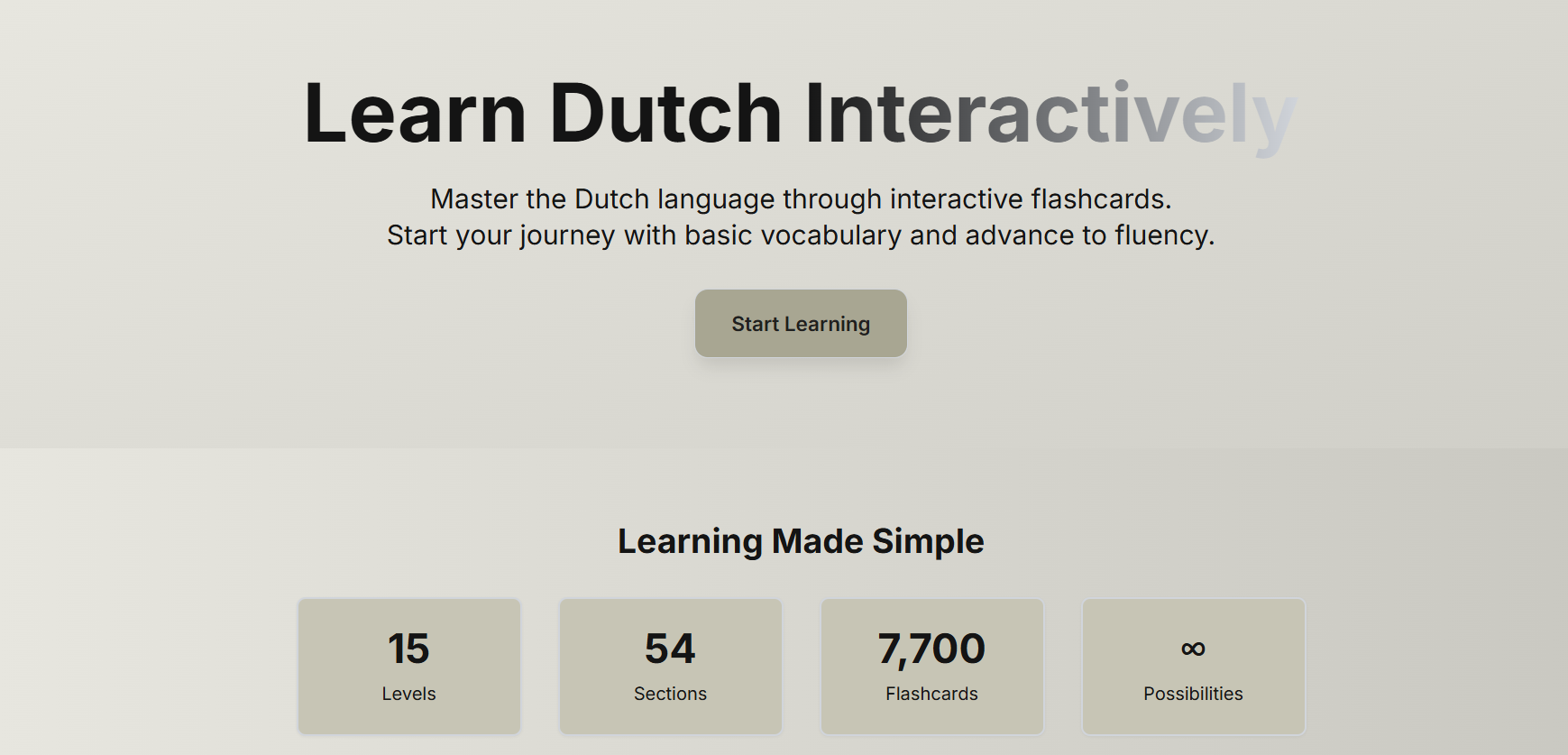
TalkTutor preview

TalkTutor is a low-friction Dutch learning platform designed for expats. It focuses on short, repeatable learning sessions and clear progress to build consistent daily habits.

Problem

Expats in the Netherlands struggle to learn Dutch in practice.

Most tools fail because

  • → No clear starting point
  • → Content not relevant to real life
  • → Progress is not visible

Key Insight

"The issue is not motivation. It is lack of clarity and structure."

Target user

Busy expats learning in short daily moments — commuting, breaks

Research

Analyzed 50+ discussions from expat communities and forums

Practical, real-life vocabulary
Short, repeatable sessions
Structure over gamification

Solution

  • → 15 levels from beginner to advanced
  • → Choose level and start immediately
  • → Real-life topic organisation
  • → Flashcard-based fast sessions
  • → Visible, always-saved progress
Core flow: Landing → Sign up → Choose level → Learn → Progress saved

Key Decisions

No placement test
Removes friction, allows instant start
Flashcard system
Supports short, focused sessions
No gamification
Keeps focus on actual learning
Visible structure
Reduces uncertainty, increases clarity

Results

50+
New users in first month
40%
Via expat communities
42%
Weekly growth
87%
7-day retention

Next Steps

  • → Referral system
  • → AI-powered grammar correction
  • → Professional content expansion
  • → Community & peer learning features
Task Management Web App

TaskPoint

Role — Product Designer Timeline — 6 weeks
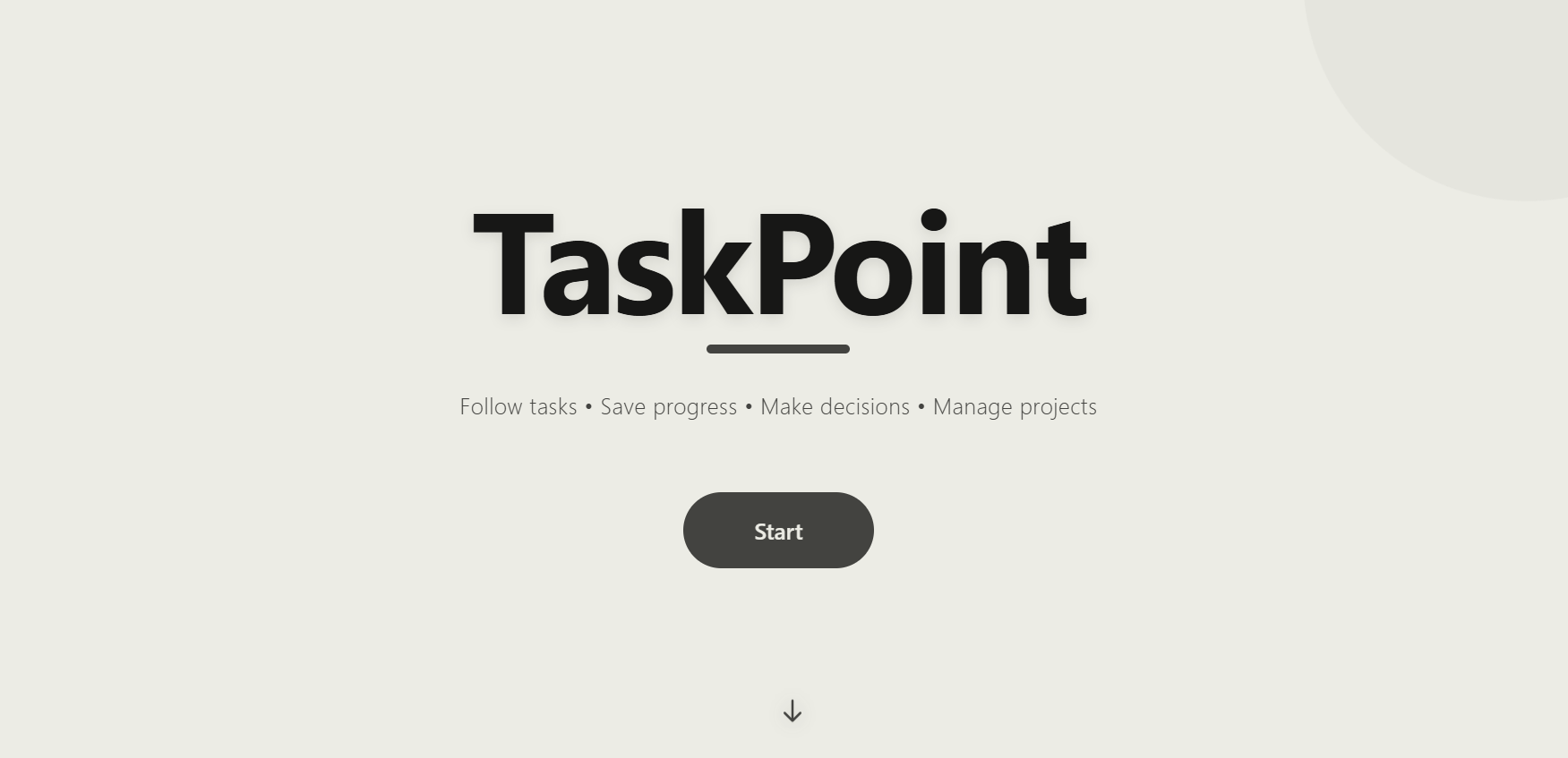
TaskPoint preview

TaskPoint is a simplified task management tool designed to reduce overwhelm and help users capture and complete tasks quickly. It focuses on clarity, speed, and daily usability instead of complex project management.

Problem

Most task management tools are abandoned within the first week.

Users struggle because

  • → Too many options create confusion
  • → Interfaces overloaded with features
  • → Tasks become hard to find over time

Key Insight

"The issue is not productivity. It is lack of clarity and simplicity."

Target user

Busy professionals managing tasks in short daily moments — meetings, commute, before bed

Research

Analyzed user behavior across productivity forums & interviewed 12 professionals

Capture tasks in seconds
Simple visual progress
No complex folders or tags

Solution

Do Doing Done Docs
  • → Instant task creation, no setup
  • → Drag and drop organisation
  • → Keyboard-first interactions
  • → Clean, distraction-free interface
Core flow: Sign up → Dashboard → Add task → Organise → Complete

Key Decisions

Status-based, not folders
Matches how users naturally think about tasks
No calendar integration
Removes setup complexity and friction
Minimal feature set
Simple and easy to understand
No gamification
Focus on completing tasks, not earning points

Results

8/8
Users created first task without guidance
<30s
Average time to first task
100%
Would use it daily

Next Steps

  • → Google Calendar integration
  • → Smart reminders & alerts
  • → AI-powered monthly summaries